The ad studio that renders itself.
Type a brief. Approve a shot plan. Get back one finished MP4 — voiceover mixed, music ducked under narration, subtitles burned in, ready for Instagram, TikTok, YouTube and Reels. No timeline scrubbing, no plugin zoo.
Free tier: 1 brand · 3 renders / month · no card required.
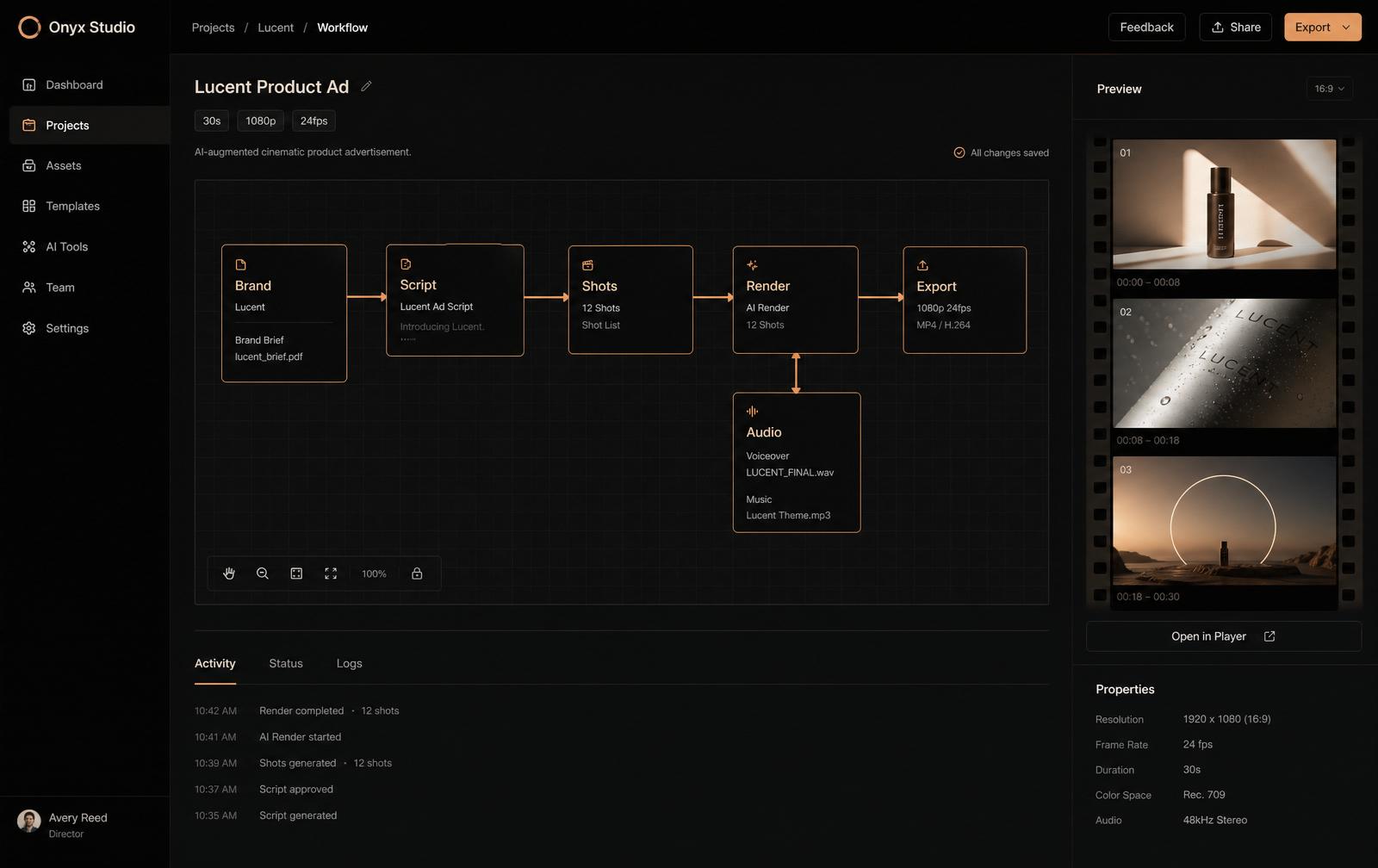
Four tools. One finished film.
These are the actual surfaces you use — not a wishlist. Each one is live in the app today.
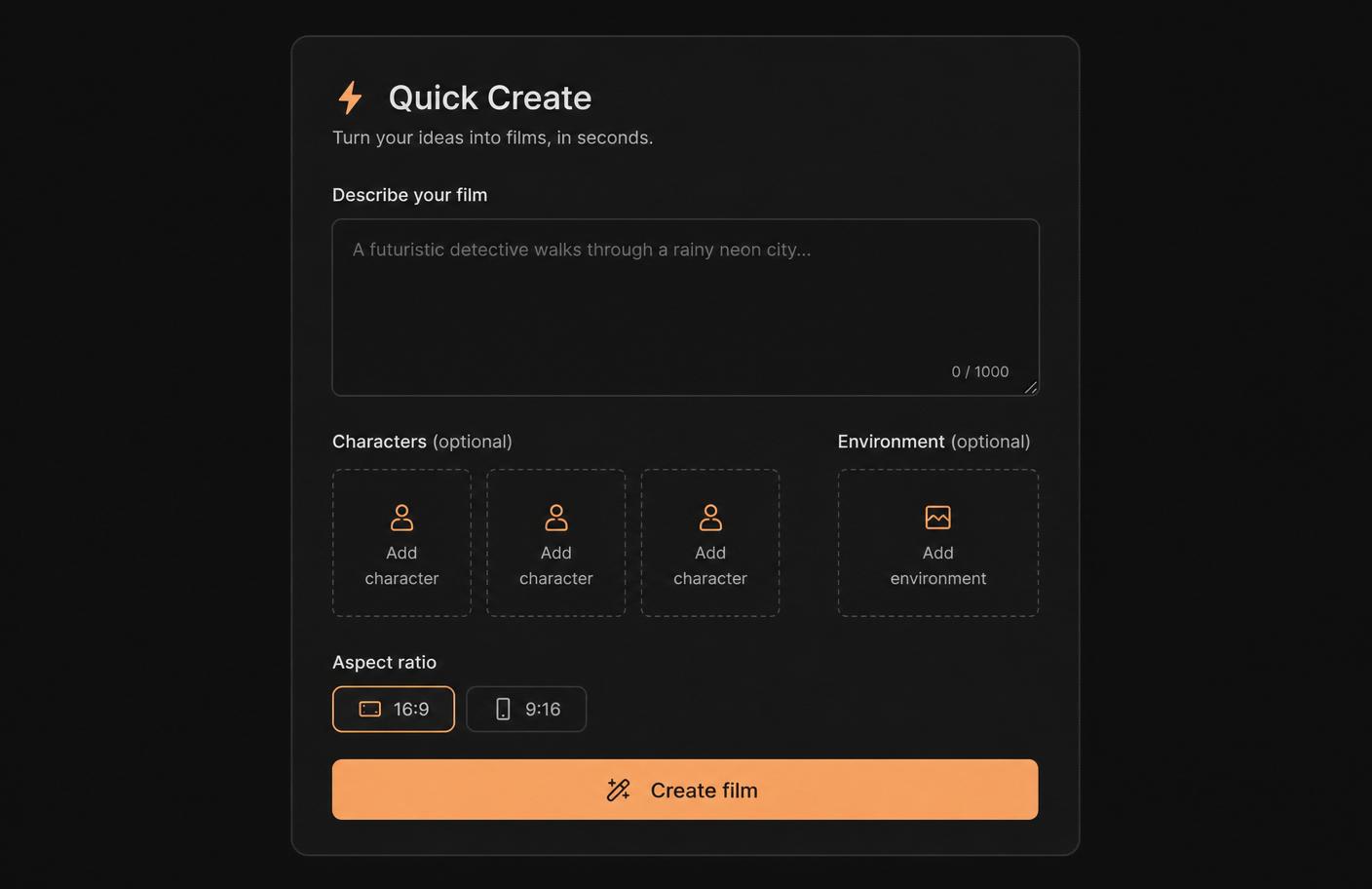
Brief in, film out.
Describe the film in one sentence, drop optional character or environment references, pick 16:9 or 9:16, and hit Create. Pierrot picks a template, drafts the script, plans the shots, and lands you on the approval cards. Beginners get a finished MP4 without ever touching the canvas.
- Optional reference images up to 3 characters + 1 environment
- Auto-drafts script, scenes and per-shot prompts
- Lands you directly on the approval flow
Every scene becomes a shot list.
For each approved scene, Forge drafts an editable Shot Plan — 2–4 shots with shot type, camera move, duration and per-shot prompt. Every shot renders as its own clip against the engine you pick (Runway Gen-4.5, Veo 3, Kling 2.1, Seedance Pro or Hailuo 02), then the export stage concatenates them in order.
- Node editor with real approval gates between stages
- Per-shot engine + duration control in the Inspector
- Costs are quoted per shot, not per scene
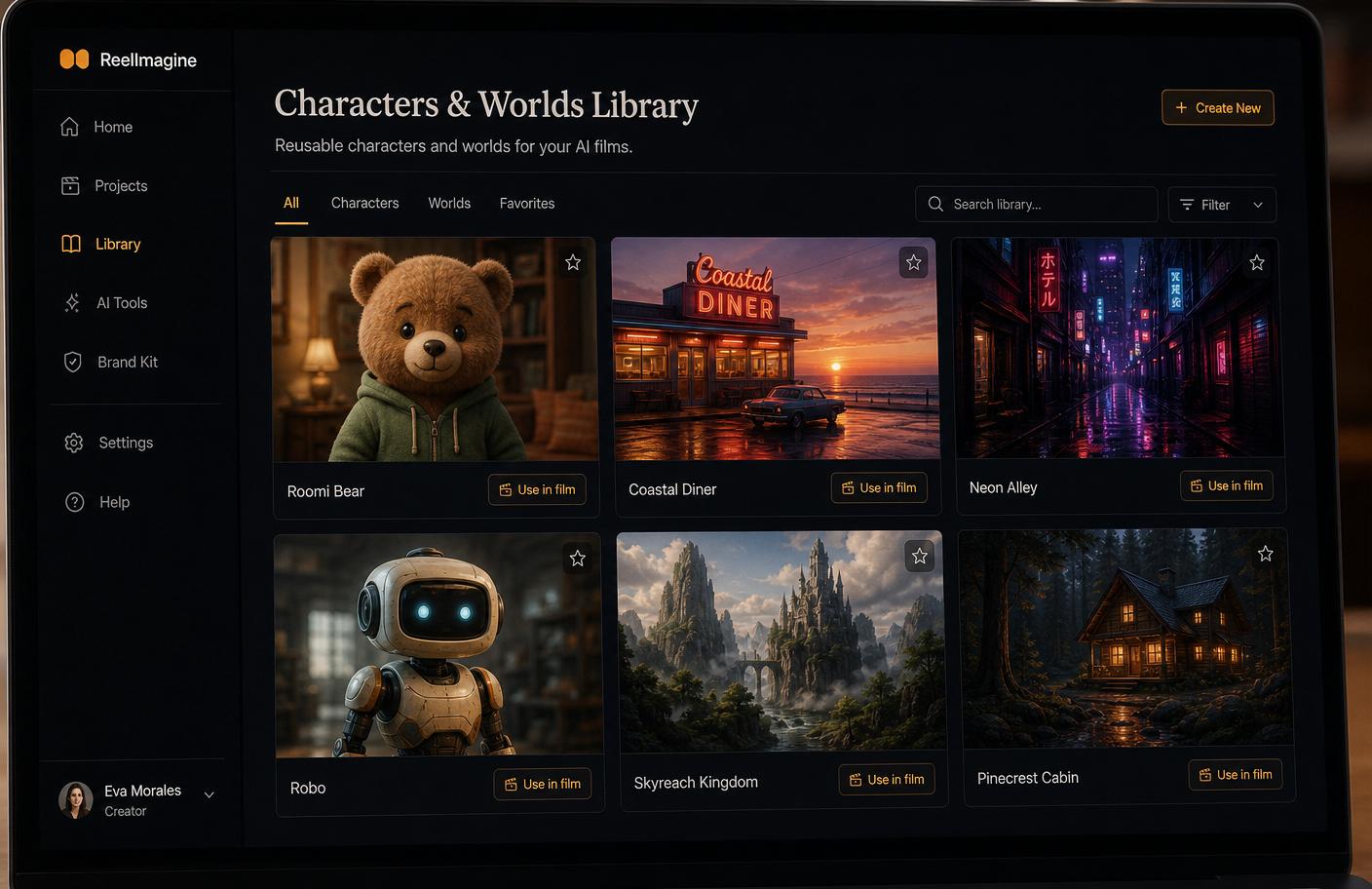
A cast that survives your next film.
Save any character or environment to your private library from a project, then reuse it in the next one. Reference images pass through as conditioning during the render, so the same character actually looks like the same character across ads. No re-uploading, no drift.
- Per-user library, RLS-scoped, thumbnail grid
- One-click Use in film into a new project
- Reference-driven conditioning on supported engines
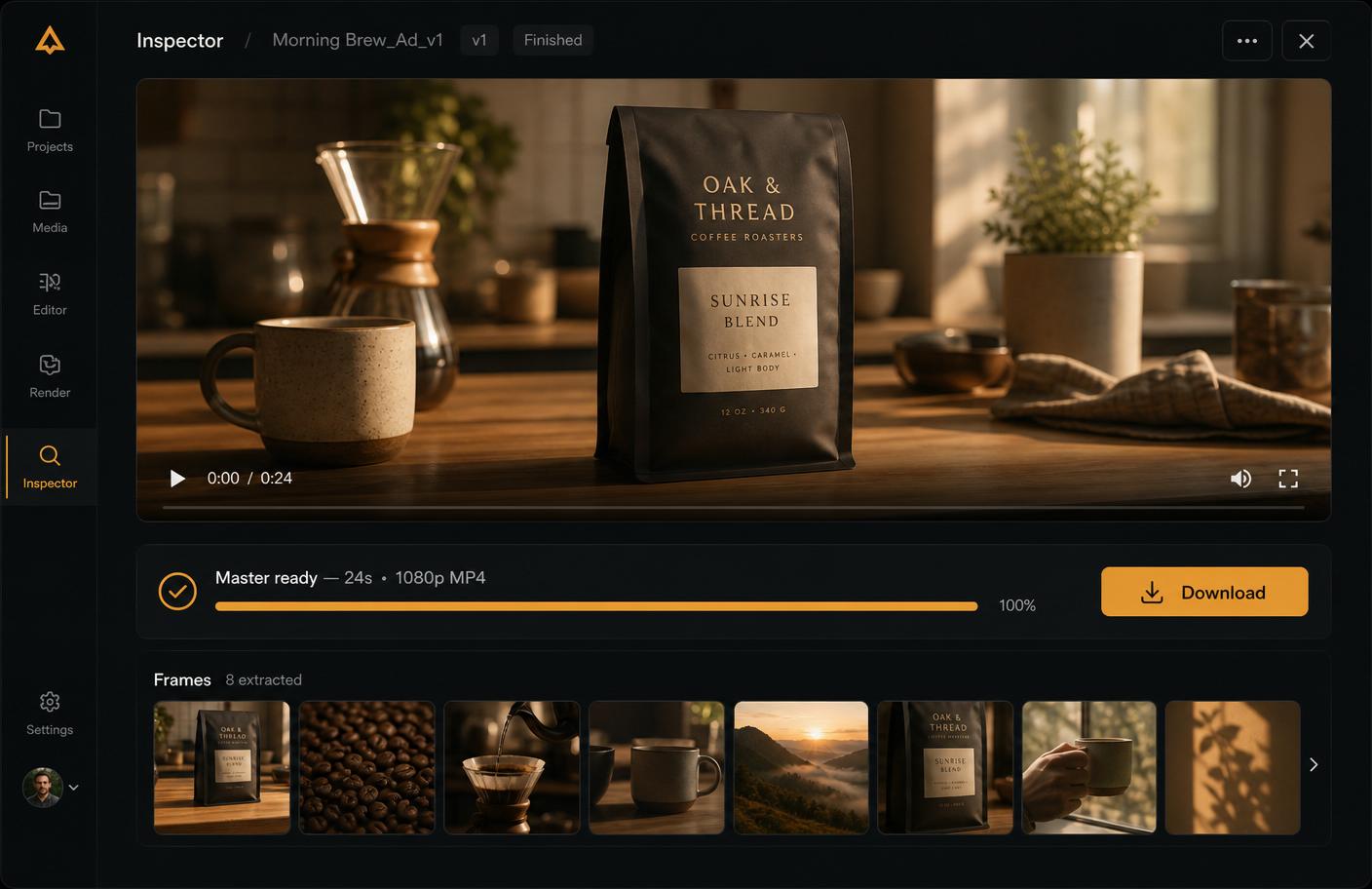
A single, downloadable master.
Export runs the whole graph: clips render on their provider, ElevenLabs generates the voiceover, music beds duck to −12dB under narration, SFX drops on scene timestamps, subtitles burn in if you want them. The finished MP4 lands in the Inspector with Download, and every frame is scrubbable for social stills.
- Real fal.ai ffmpeg compose — no client-side stitching
- Master persisted to private storage, signed download URL
- Frame Export → high-res PNG stills + Library save
Six stages. Approve, or auto-run.
The Production bar guides you left-to-right. Every stage shows a credit estimate before it spends.
Palette, voice, references
Brief → shot-ready script
Editable per-scene shot plan
Runway / fal.ai per shot
ElevenLabs VO + music + SFX
Mixed MP4 in your storage
Real providers. Honest labels.
We don’t pretend to run our own frontier models. We route to the ones actually shipping.
Runway Gen-4.5 · fal.ai Veo 3 / Kling 2.1 / Seedance Pro / Hailuo 02
Claude Sonnet 4.6 · GPT-5.4 · Gemini 3 Pro · DeepSeek V4 (via OpenRouter)
ElevenLabs voiceover + SFX · fal.ai ffmpeg compose
Tripo image-to-3D · GLB viewer built in
fal.ai ffmpeg-api — server-side, no client re-encode
Private per-project bucket · signed download URLs
Your Claude can drive this stage.
A built-in MCP server exposes every Forge tool — create_film, add_node, run_graph, export_film. Connect once via OAuth; the agent produces, you approve.
Claude Desktop, Cursor, or any MCP-aware client.
Nodes, edges, renders, exports — all tool calls.
Every mutation is approvable in the Forge editor before spend.
Credits, not seats.
Every plan includes chat. Renders spend credits from your monthly grant — top up any time.
Kick the tires.
- ✓1 brand
- ✓100 credits / month
- ✓Watermarked exports
- ✓Community support
One brand, weekly.
- ✓1 brand
- ✓6,000 credits / month
- ✓Full-quality MP4
- ✓Copilot in Forge
Scheduled pipelines.
- ✓3 brands
- ✓20,000 credits / month
- ✓Triggers & cron
- ✓Priority queue
For teams of players.
- ✓10 brands
- ✓55,000 credits / month
- ✓White-label share links
- ✓All Studio features
Quick answers.
How long does one render take?⌄
A typical 15–30s ad lands in 3–6 minutes end-to-end — provider queue time dominates. You can watch each shot poll live in the export dialog.
What formats do I get?⌄
MP4 masters at 1080p, 2K, 4K or 8K depending on engine. 9:16 for Reels/TikTok, 16:9 for YouTube, 1:1 for feeds. Frame Export gives you PNG stills too.
Can I bring my own characters?⌄
Yes — upload reference images, save them to your Characters & Worlds library, and reuse across films. The renderer conditions on them so identity holds.
Do I own the output?⌄
Yes. Renders go into your private storage with signed download URLs. No watermarks on paid plans.